See what's filling your Mac. Then clear it.
Purgy frees real junk and hidden System Data on any Mac — and shows its work on every byte. Nothing gets deleted that you can't undo.
2 days free, then $20 once for 3 Macs. No card to start — no subscription, ever.
Most cleaners hide what they do. Purgy is the opposite — an honest utility that names every byte before it moves it.
The bucket macOS won't explain
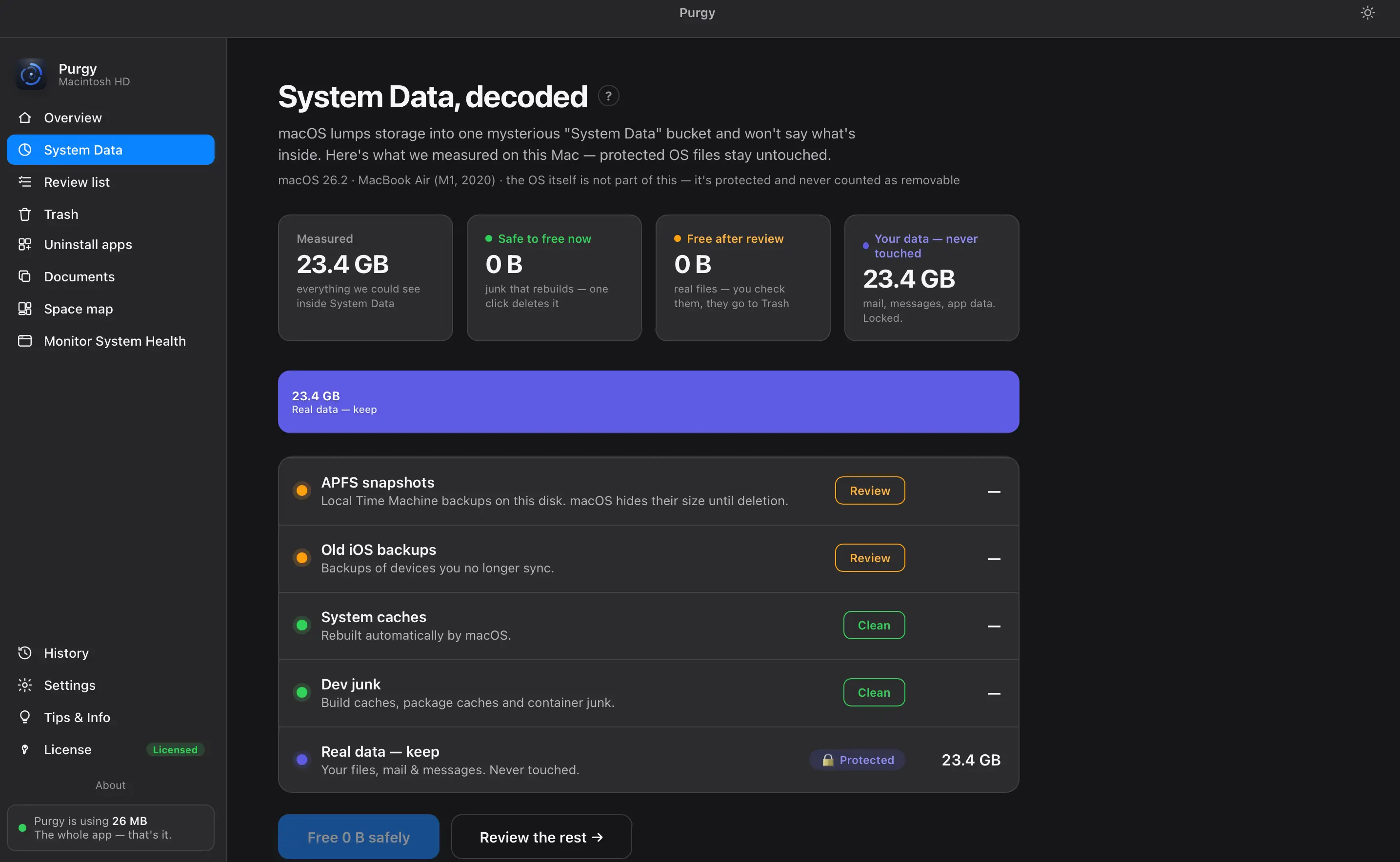
macOS hides tens of gigabytes in “System Data.” Purgy measures inside it and sorts every byte into three:
- Safe to free now — junk that rebuilds itself. One click.
- Free after review — APFS snapshots, old iOS backups. You decide.
- Your data — never touched — mail, messages, app data. Locked.
Follow the gigabytes to the source
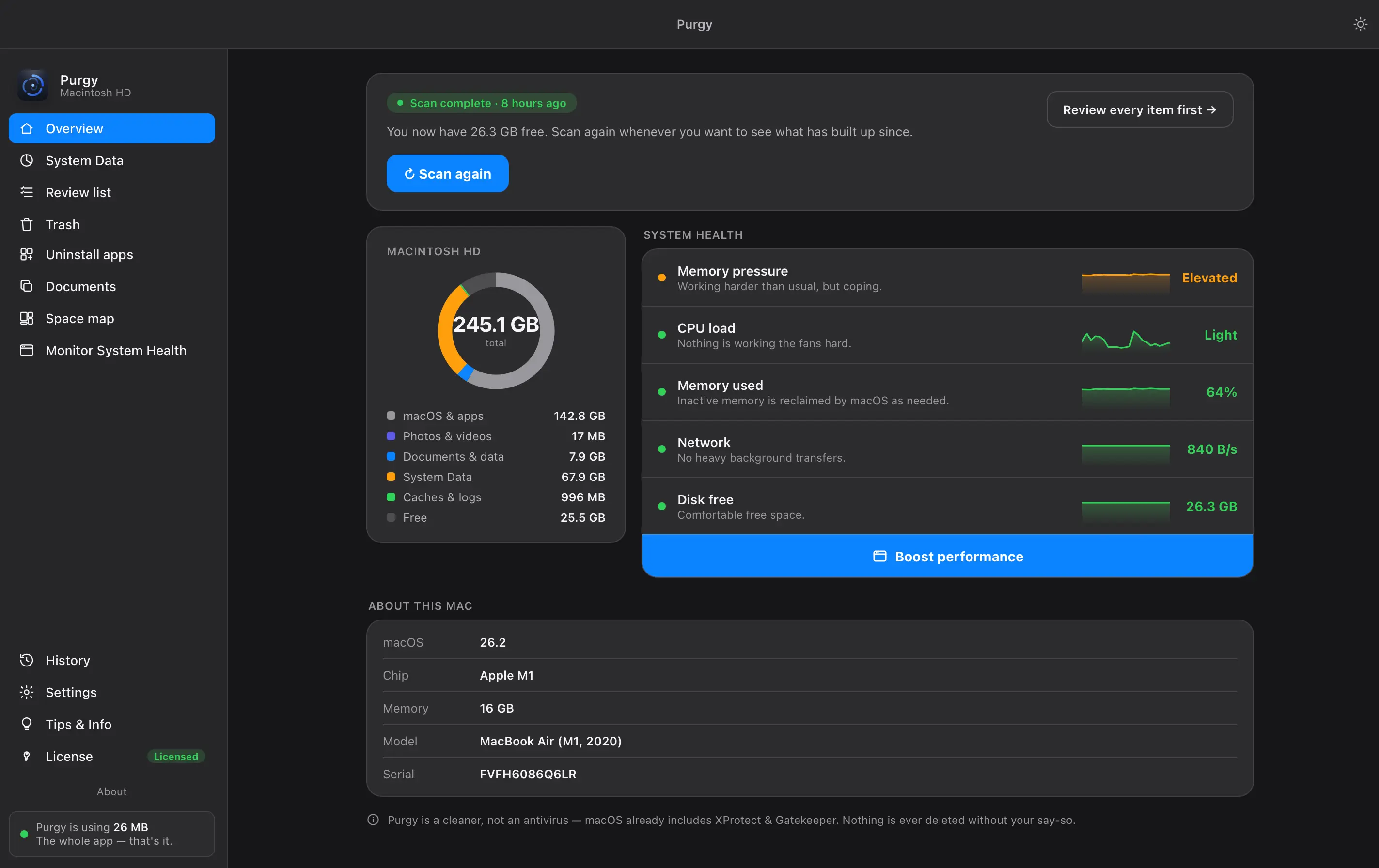
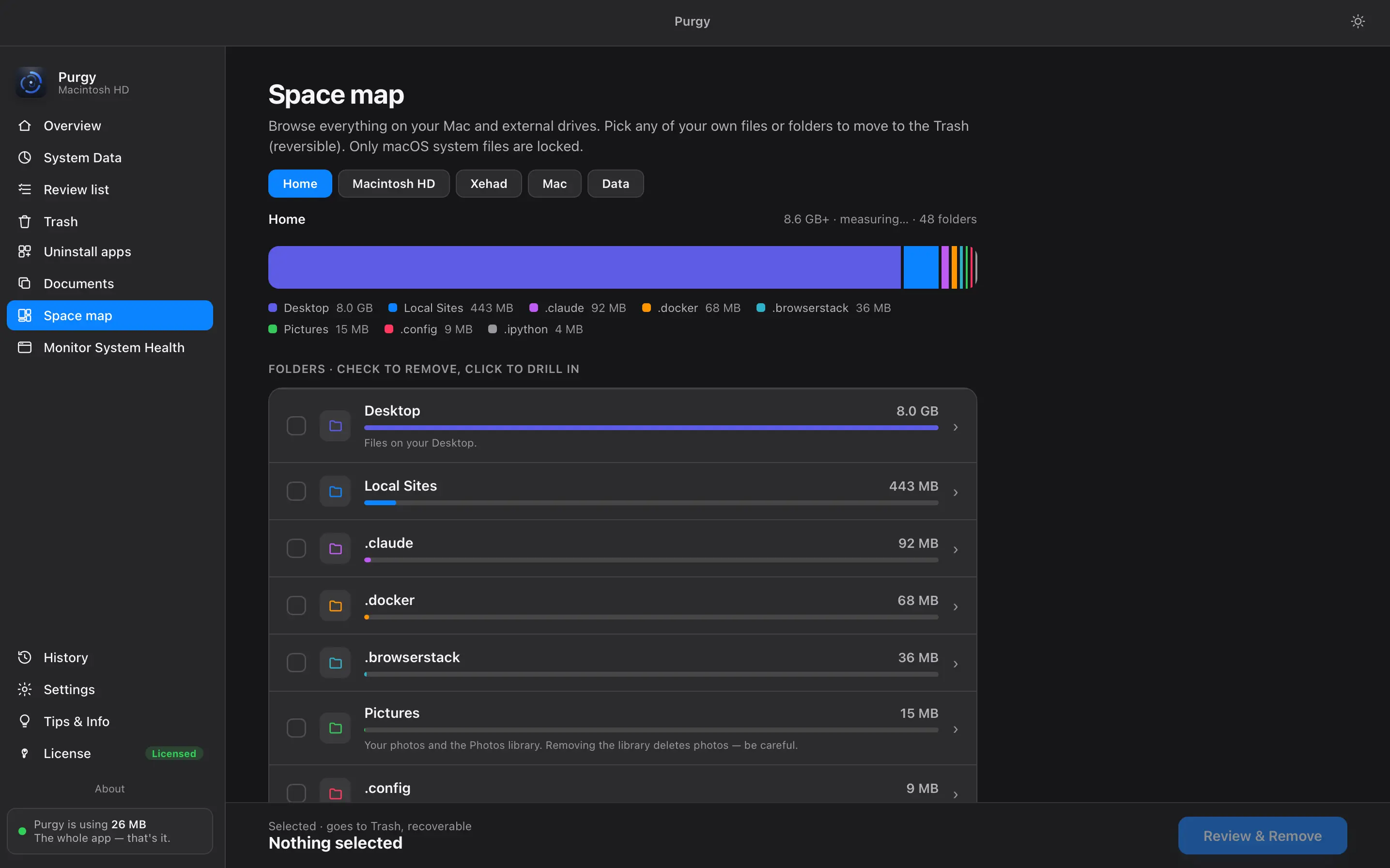
Your whole Mac and any external drive as a live treemap — Desktop, photo libraries, old projects, hidden tool folders, each sized to the byte. Click to drill in, check to remove. macOS system files stay locked.
A monitor that doesn't nag
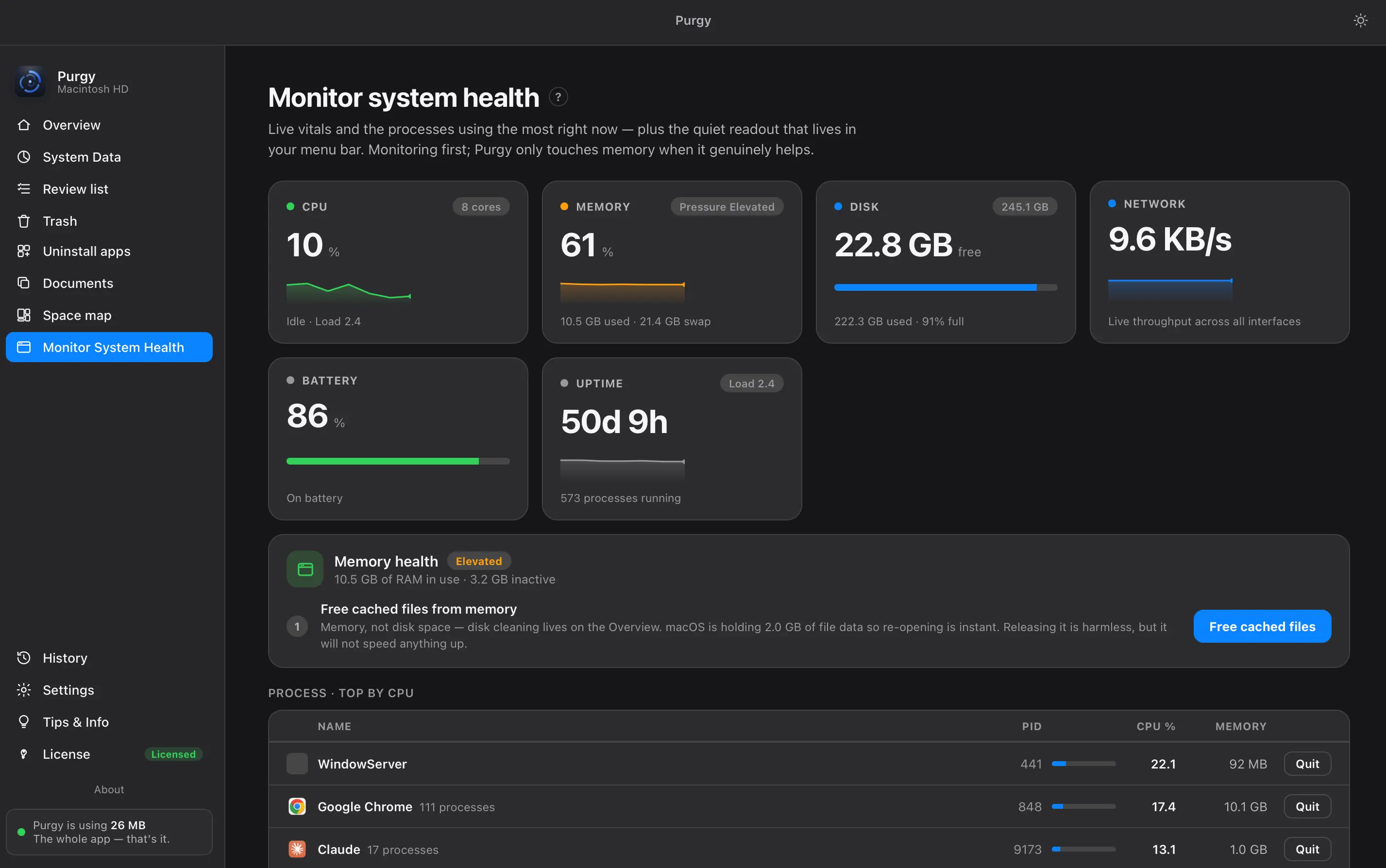
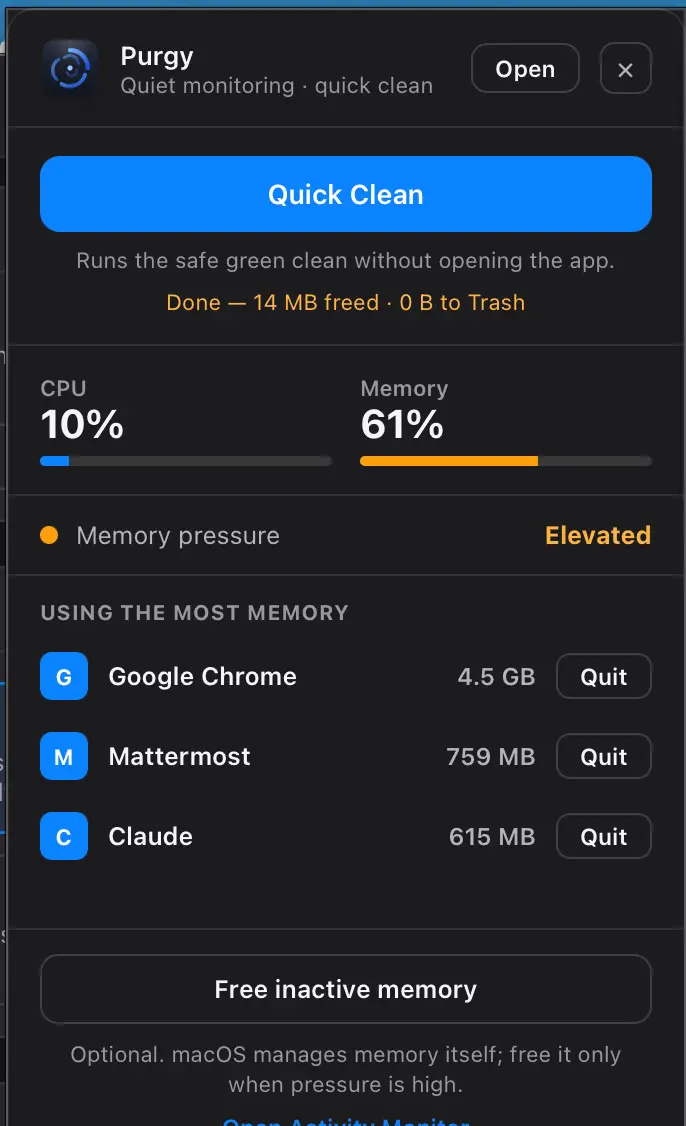
CPU, memory, disk, network, battery and uptime, with the processes using the most right now — quit a runaway inline. Freeing cached memory is offered only when pressure is genuinely high, and it says plainly that it will not speed anything up. No fake “speed up” buttons.
Nothing leaves without a green light
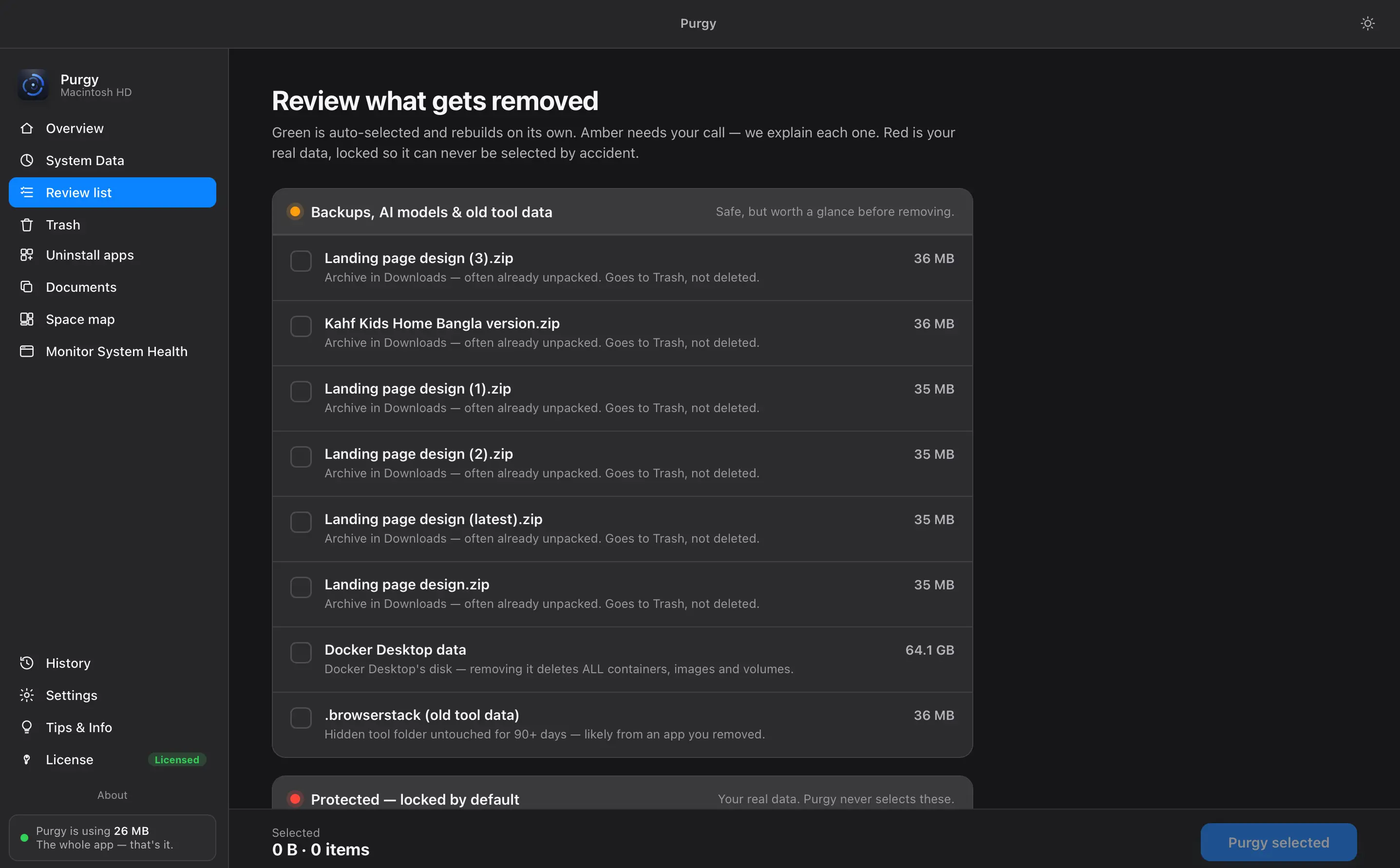
Green rebuilds itself. Amber is your call — backups, AI models and old tool data, each with the reason it was found. Red is your own data, locked so it cannot be selected by accident. Everything removed goes to Trash, recoverable anytime.
Uninstall, and take the leftovers
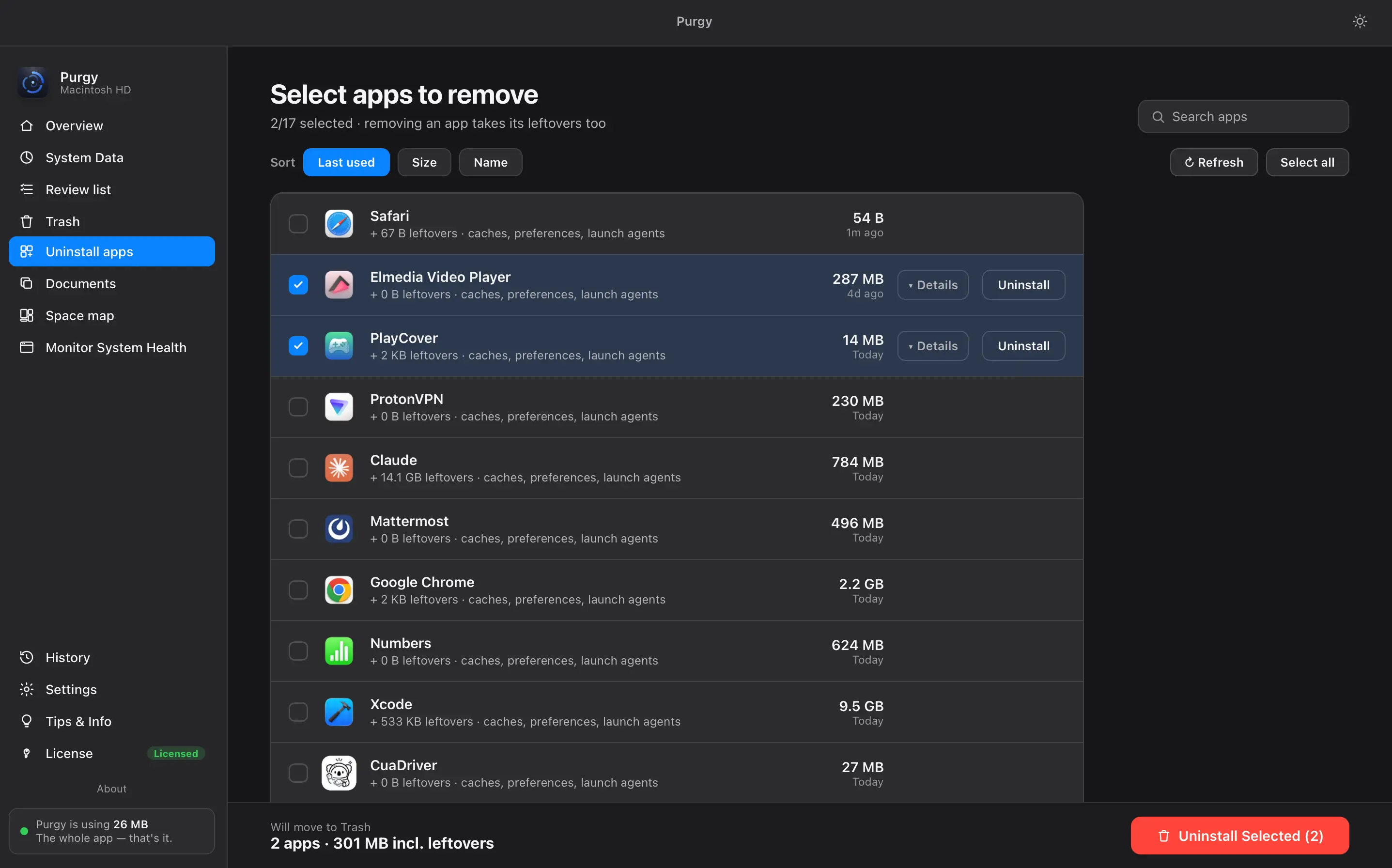
Caches, preferences and launch agents go with the app. Sort by last used, size or name to find what you stopped opening.
Your own files, sorted for you
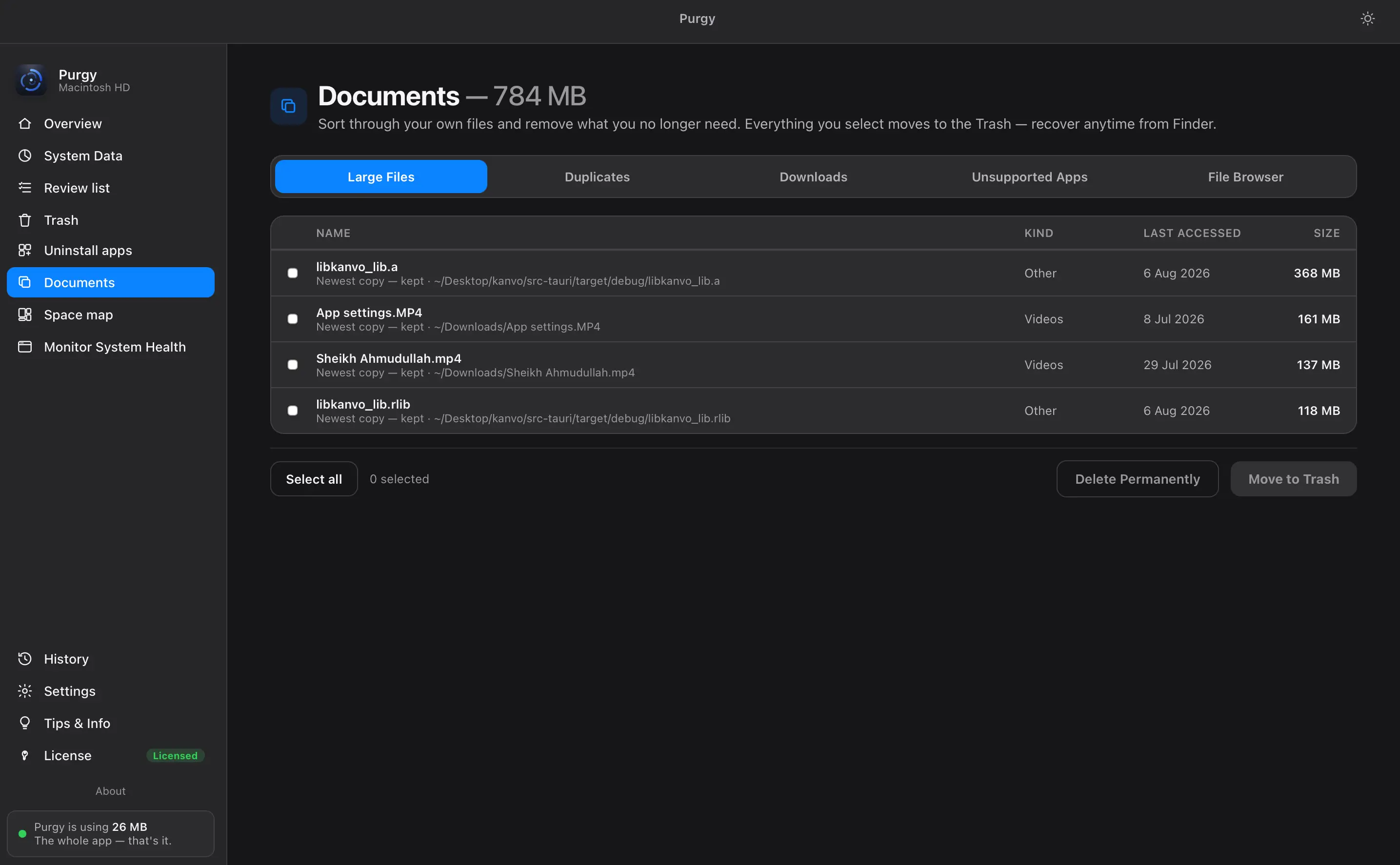
Large files, duplicates, downloads, unsupported apps and a plain file browser. Move to Trash, recover anytime.
Nothing becomes permanent by accident
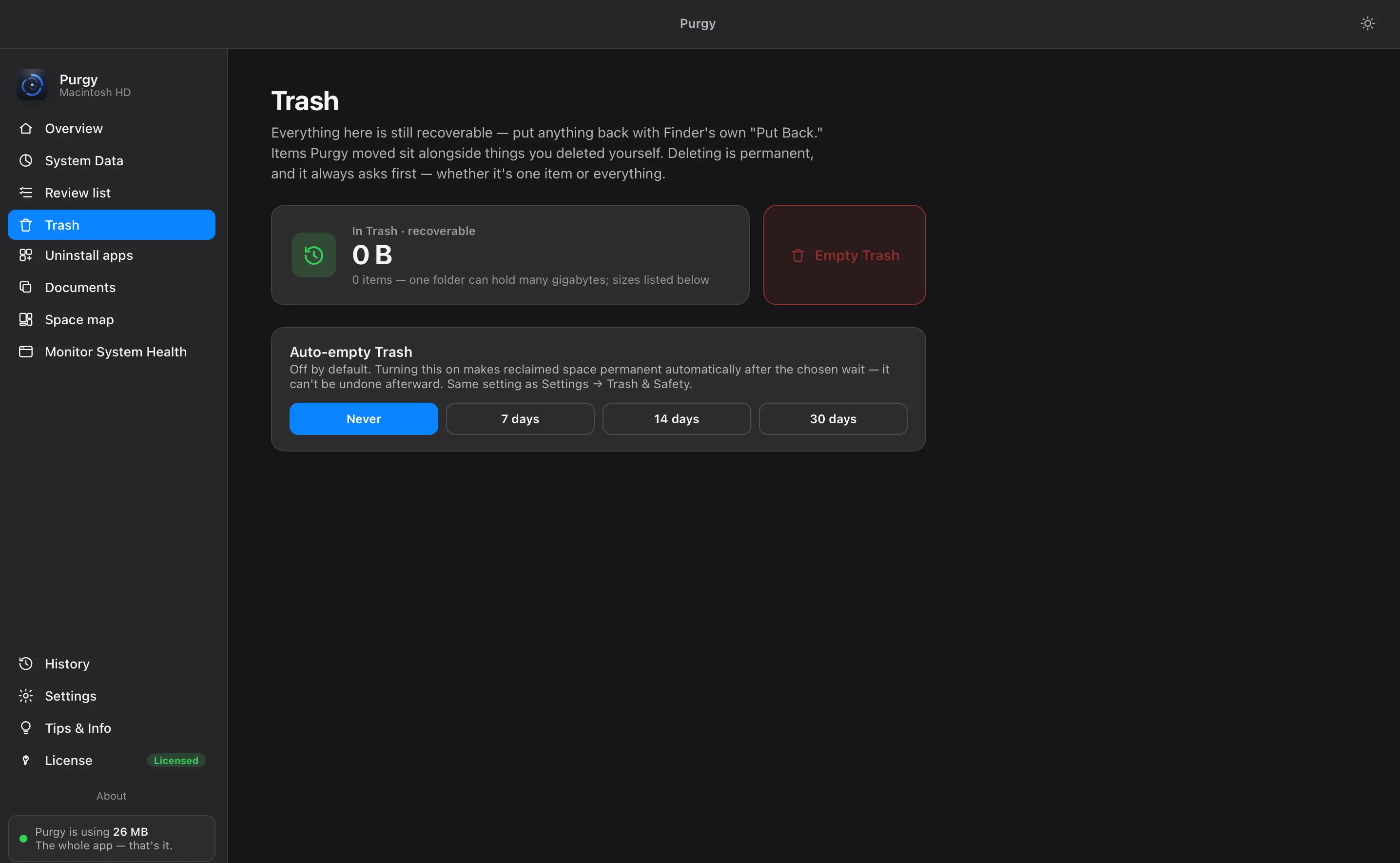
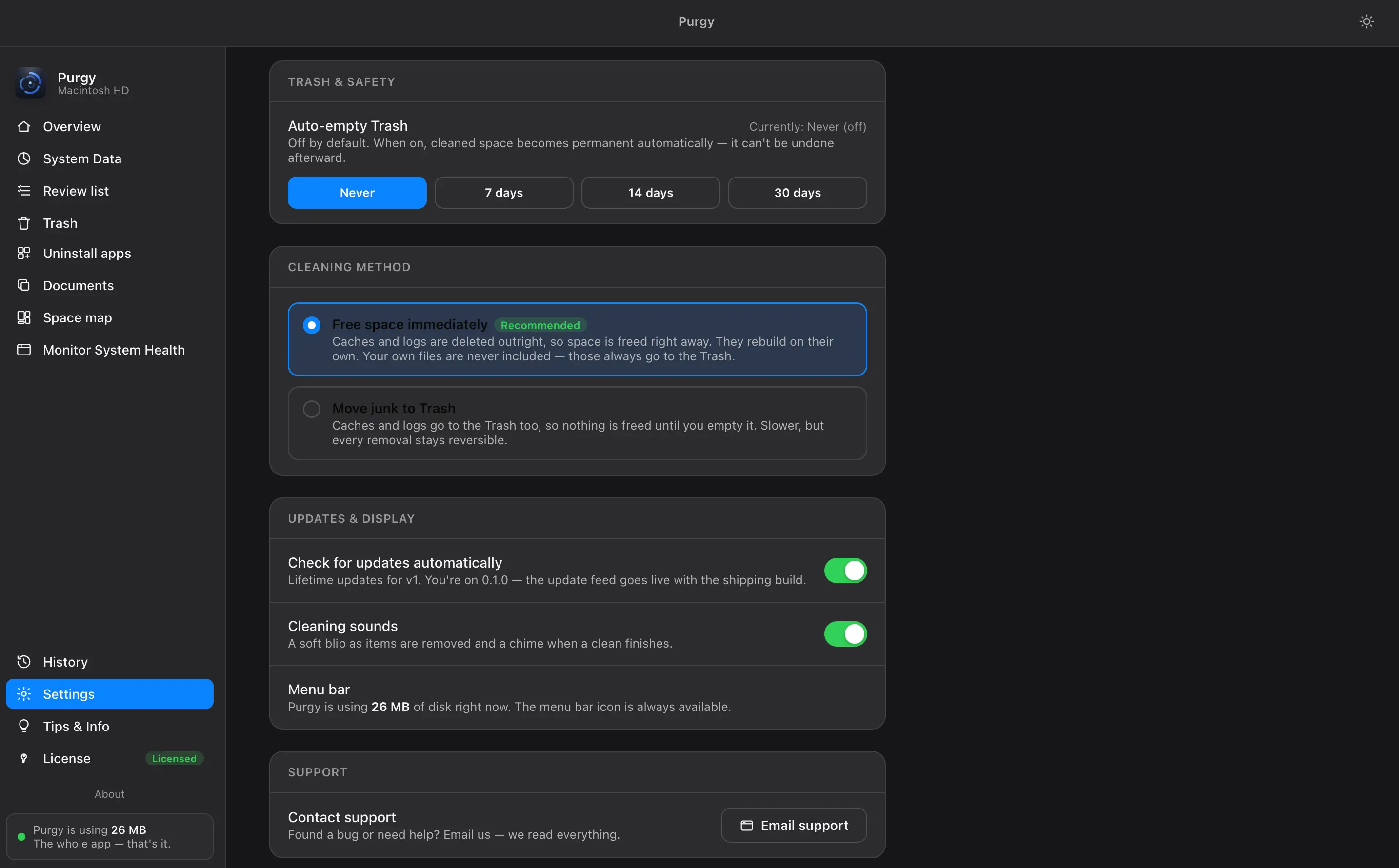
Cleaned items wait in the Trash. Auto-empty stays off until you pick 7, 14 or 30 days, and emptying always asks first.
A quick clean without opening the app
The menu bar keeps an eye on CPU and memory, quits a heavy process, and runs the safe green clean in one click.
You choose how cleaning works
Free space immediately, or send junk to the Trash so every removal stays reversible. Your call, not a hidden default.
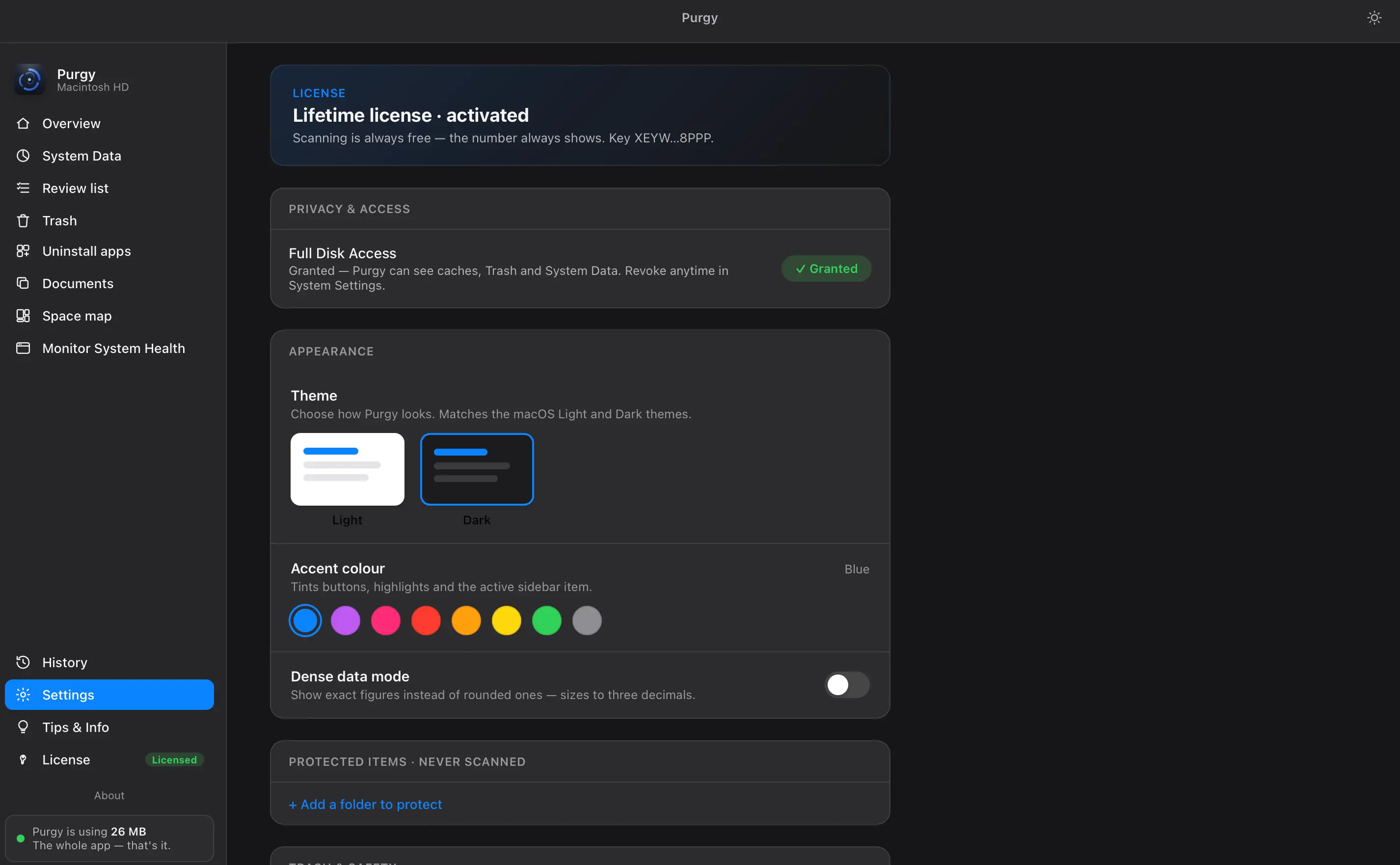
Protect a folder and it is never scanned
Add any folder to the protected list, grant or revoke Full Disk Access, pick a theme and accent. Scanning is always free.
Built for people who don't trust cleaners
Specifications- Compatibility
- macOS 12 Monterey and up, no ceiling. A universal binary built against the macOS 26.2 SDK — native on Intel and Apple Silicon alike.
- Deletions
- Always reversible. Nothing is hard-deleted. Everything goes to the Trash, recoverable from Finder anytime.
- Protected items
- Never scanned. Add any folder to the protected list and Purgy won't even look inside it, let alone touch it.
- Full Disk Access
- On your terms. Grant it to scan, revoke it anytime in System Settings. Purgy keeps working on what it can still see.
- Privacy
- Nothing leaves your Mac. No account, no telemetry, works fully offline. What Purgy scans stays on your machine.
Pay once.
Own it forever.
No subscription, no account, no renewal date. Updates and fixes stay free for the version you buy. Start with two days free, no card required.
- All 8 features
- included
- Devices
- 3 Macs
- Updates & fixes
- free, this version
- Account
- none required
- Runs offline
- yes
Universal binary · macOS 12 Monterey or later · Intel & Apple Silicon
Questions worth asking first
Do I decide what gets scanned and what gets deleted?
Both are yours to set. Add any folder, drive or app to the protected list and Purgy won't even look inside it. On the removal side nothing is a done deal: every item is listed with its size and reason, you can uncheck anything before you clean, and what you approve goes to the Trash rather than out of existence.
Will it ever delete files I still need?
No. Your own files — documents, photos, projects, app data — are locked red and can't be auto-selected. You choose anything else that goes, and even then it lands in the Trash, so it's reversible from Finder.
Is cleaning System Data safe?
Yes. Protected OS files are never counted as removable and never touched. Purgy only frees caches and snapshots that macOS itself rebuilds, or that you explicitly approve.
How many Macs does one license cover?
3 Macs on a single $20 license, with no account and no renewal date. Pay once and the version you bought is yours to keep and use for as long as you like.
Are updates free?
There are two kinds of release, and every one of them says which it is before you install:
No subscription, no renewal date, and no charge on a day you didn't choose.
Does it run on older macOS versions?
Yes — back to 12.0 Monterey, and there's no upper limit. Purgy is a universal binary built against the macOS 26.2 SDK, running natively on Intel (x86_64) and Apple Silicon (arm64). An older Mac is usually the one that needs the space back most.

Get your gigabytes back.
The honest cleaner that tells you exactly what it's doing, the whole way.
Download Purgy · $20